
The Problem We Needed to Solve
When building websites for new clients, we often need to migrate images from their existing site. The typical workflow is tedious: manually downloading images one by one, converting them to modern formats like WebP for better performance, and organizing everything properly.
We looked for existing tools but found they either required payment, uploaded images to remote servers (privacy concern), or didn't support batch operations. So we built ScrapeConvert to solve this exact problem - and decided to make it free for everyone.
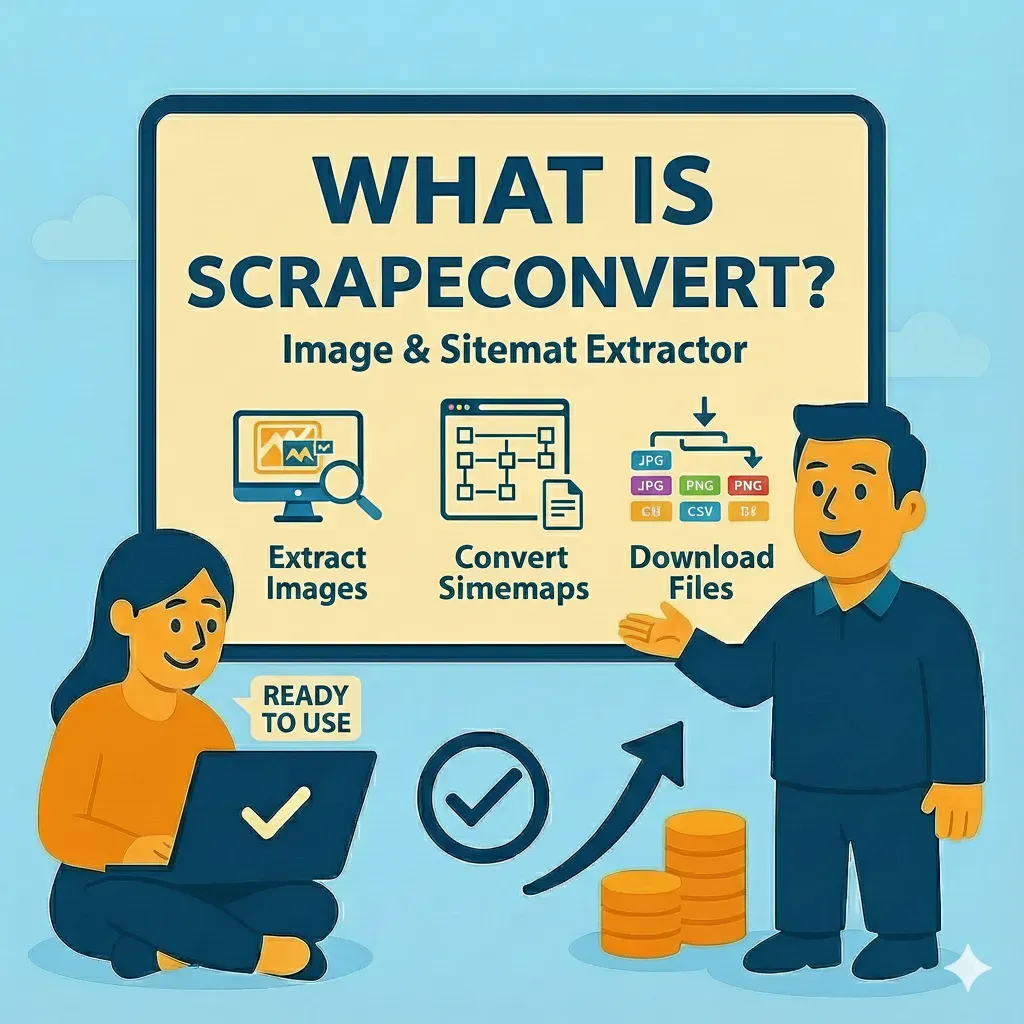
What ScrapeConvert Does
ScrapeConvert is a browser-based tool that lets you extract all images from any website and convert them to modern formats in one streamlined workflow. Here's how it works:
Sitemap Crawler
Enter a sitemap URL and ScrapeConvert will discover all pages on the site automatically. Perfect for crawling entire websites at once.
URL Crawler
Paste individual URLs to extract images from specific pages. Great for targeted extraction when you only need images from certain sections.
Image Extraction
Automatically finds and extracts all images from crawled pages. See a complete list with previews before downloading.
Batch Conversion
Convert extracted images to WebP, PNG, or JPEG in bulk. Optimize file sizes while maintaining quality.
Sitemap Crawler
The sitemap crawler is the fastest way to extract images from an entire website. Simply paste the sitemap URL (usually found at /sitemap.xml) and ScrapeConvert will parse it to find all pages.
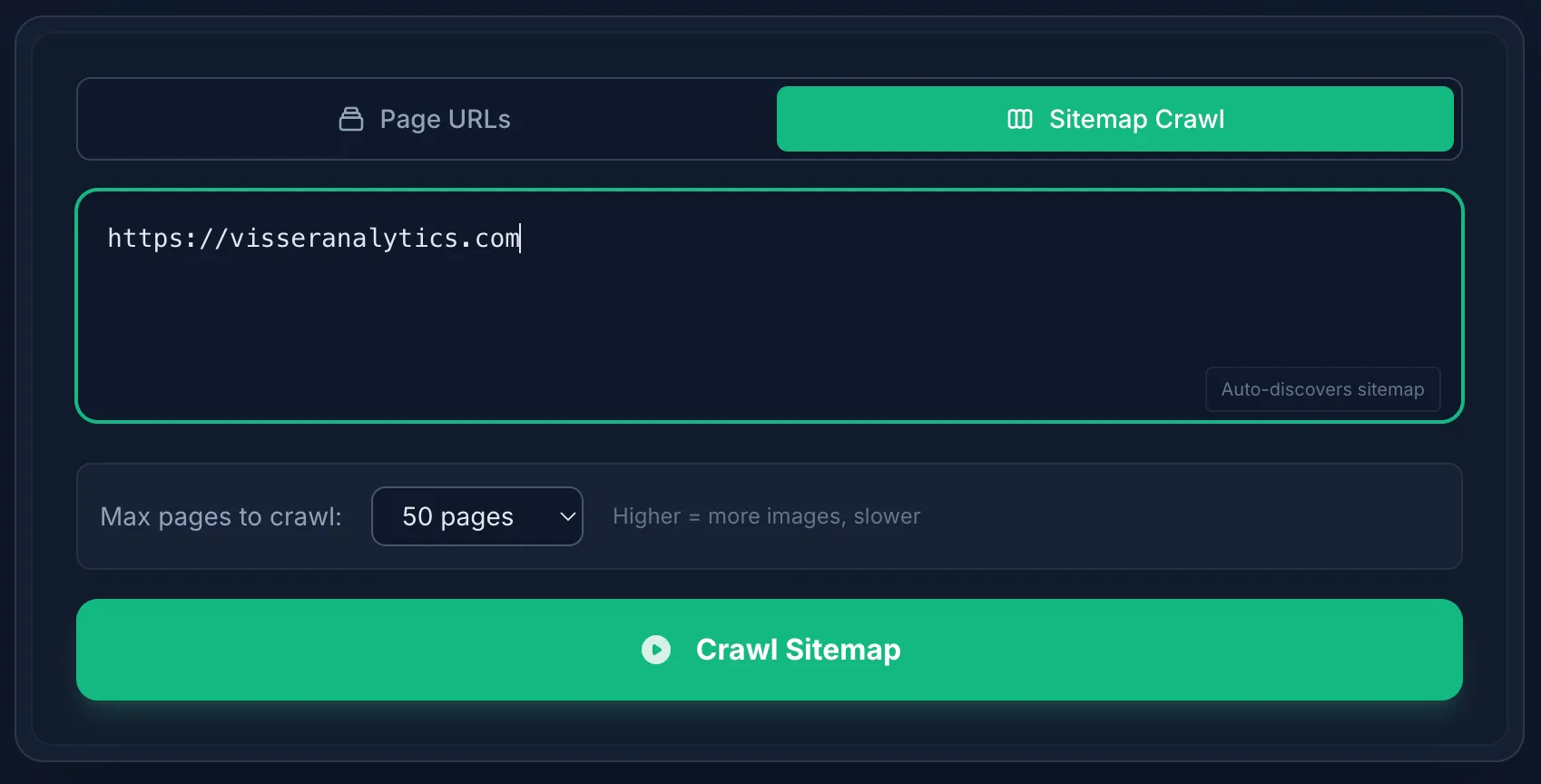
The sitemap crawler interface - paste your sitemap URL to discover all pages
URL Crawler
Sometimes you only need images from specific pages. The URL crawler lets you paste individual page URLs to extract images from just those pages. You can add multiple URLs and process them all at once.

The URL crawler - add specific page URLs for targeted image extraction
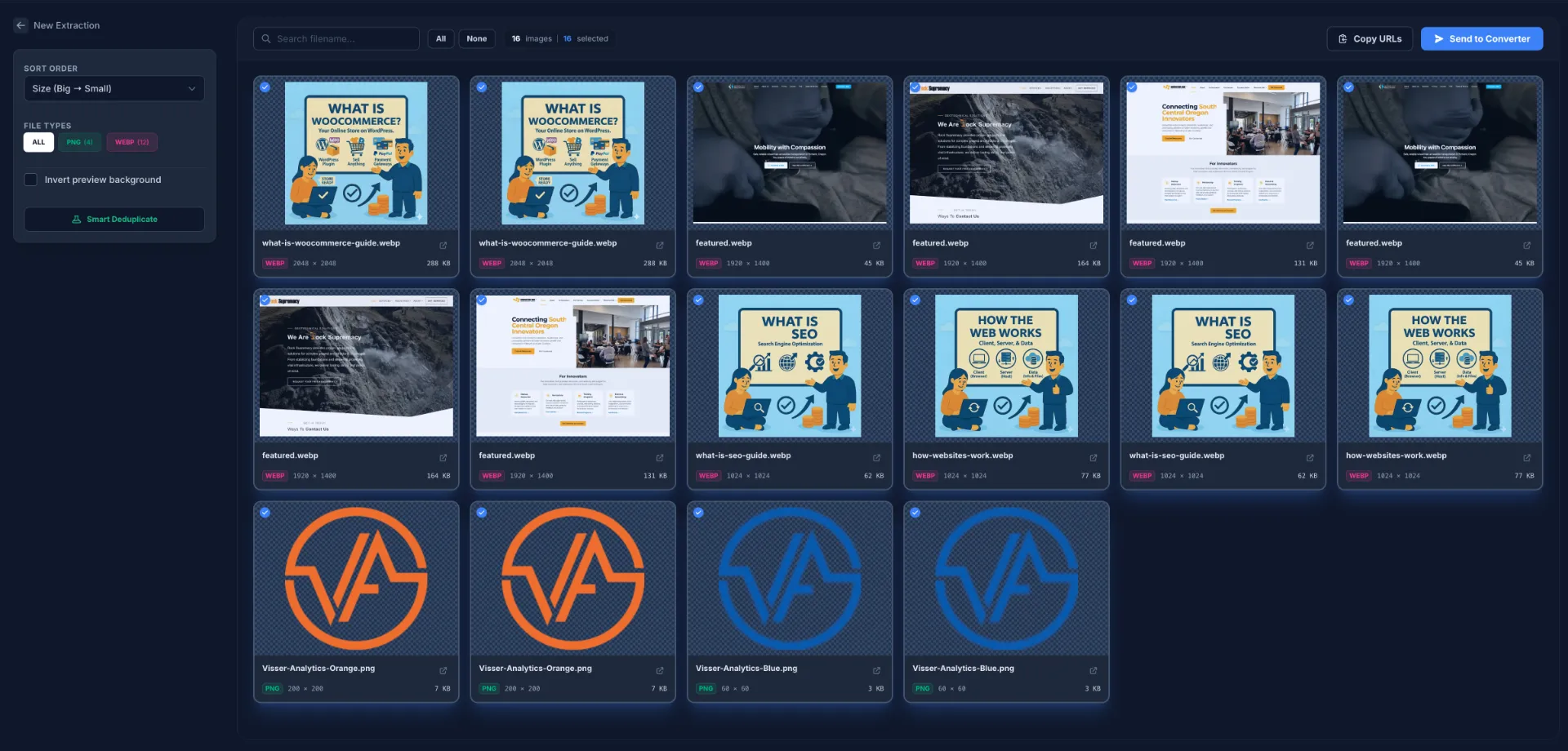
Results from crawling multiple page URLs
Crawl Log & Progress
As ScrapeConvert crawls your pages, you'll see real-time progress in the crawl log. This shows which pages are being processed, how many images are found, and any errors that occur.
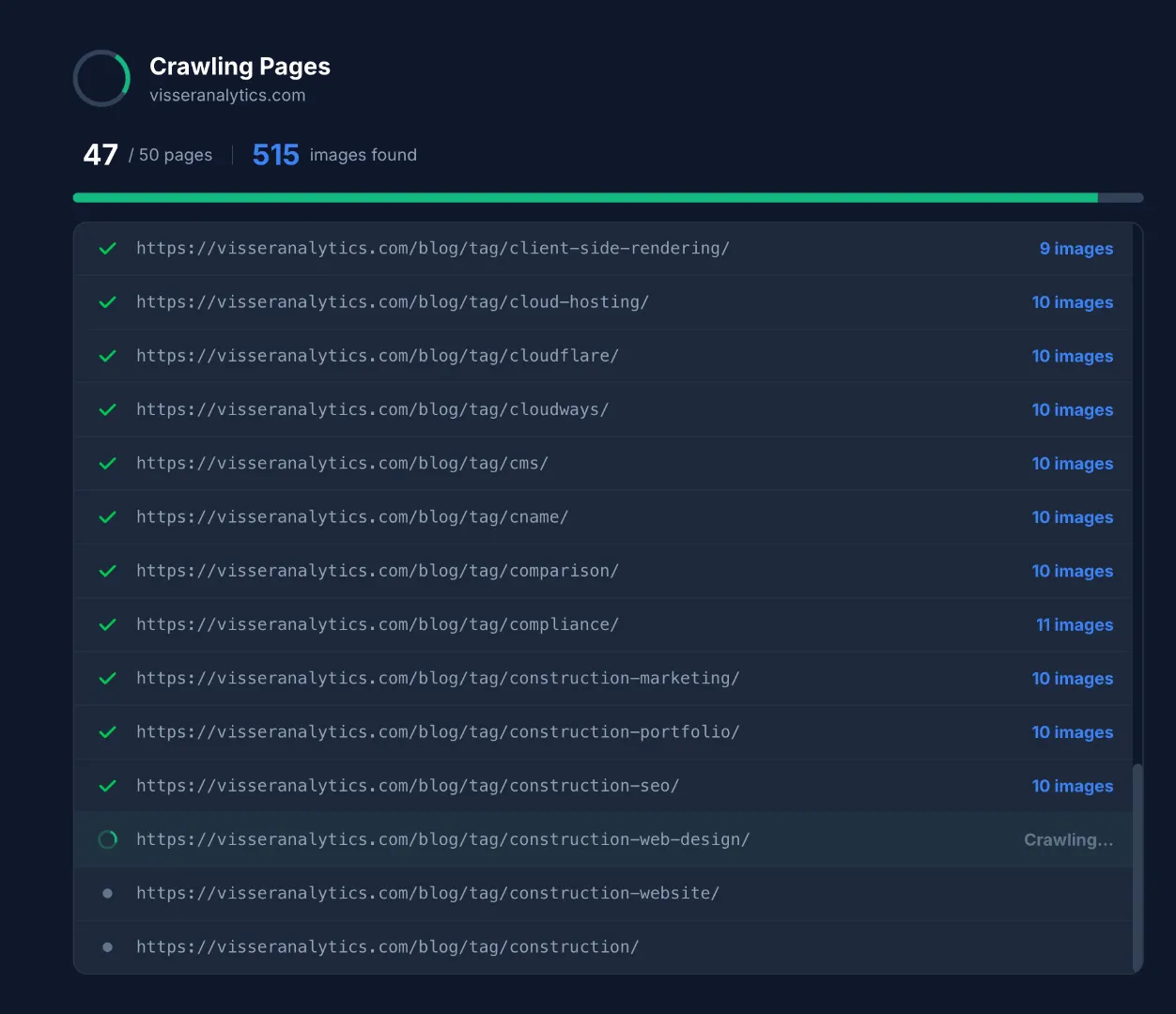
Real-time crawl log showing extraction progress
Results & Image Selection
Once crawling is complete, you'll see all extracted images with previews. Select the images you want, filter by size or type, and choose to download them directly or send them to the converter.
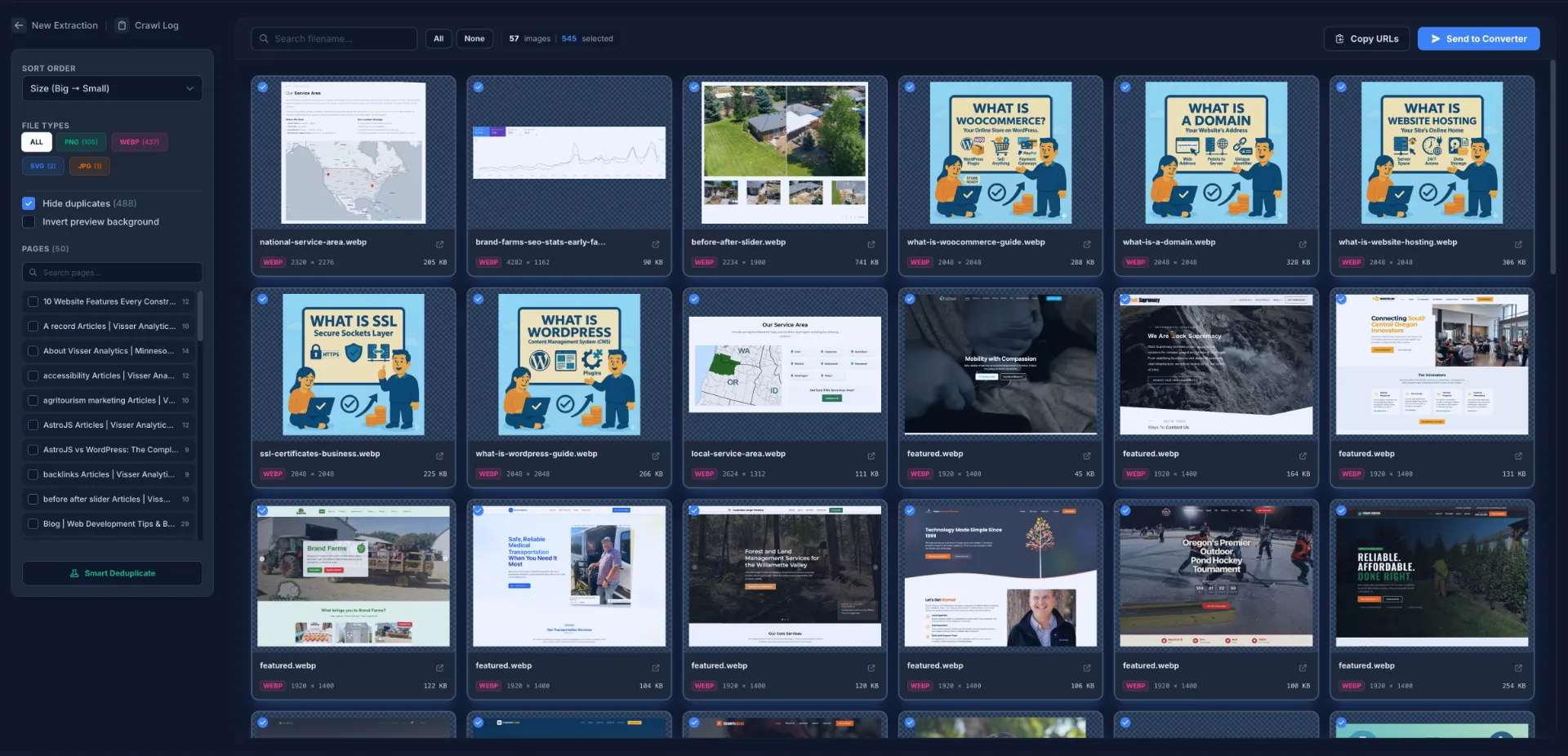
Results view with image previews and selection options
Image Conversion
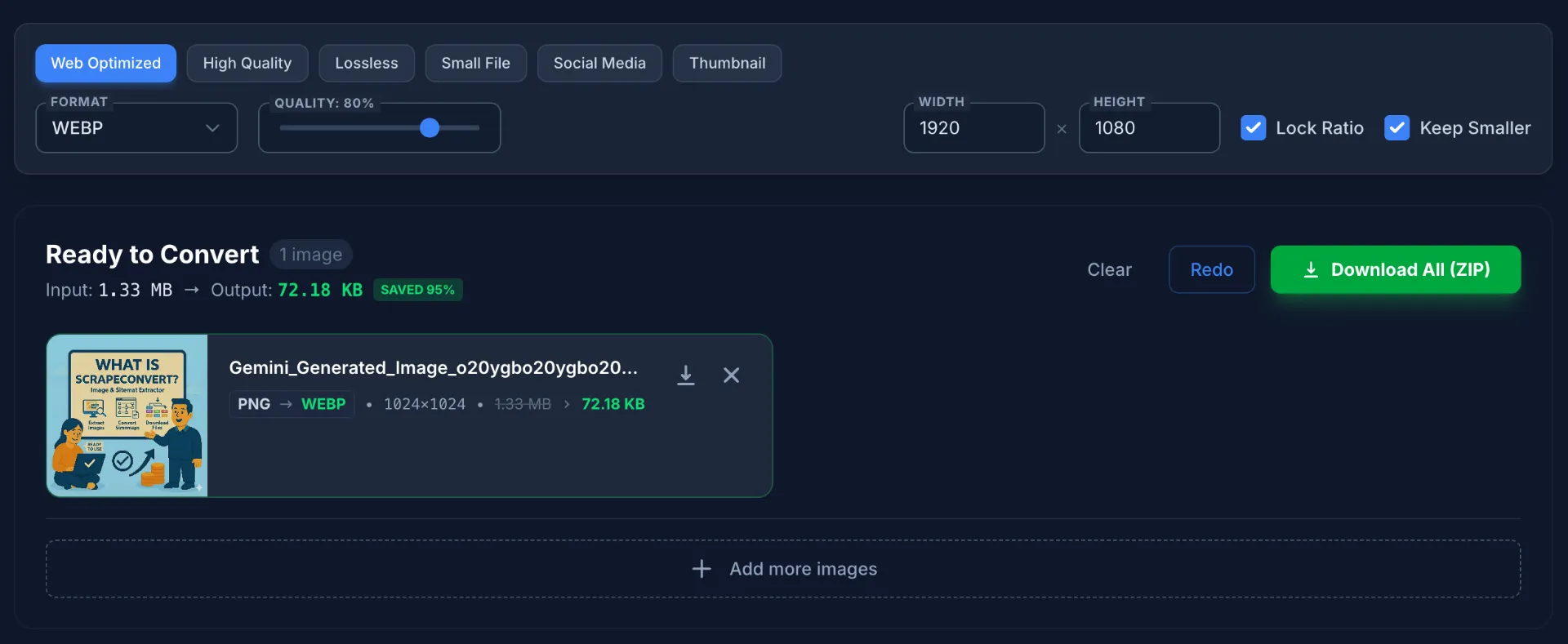
The conversion page lets you batch convert images to WebP, PNG, or JPEG. You can also use this standalone - just drag and drop images from your computer without crawling any website.
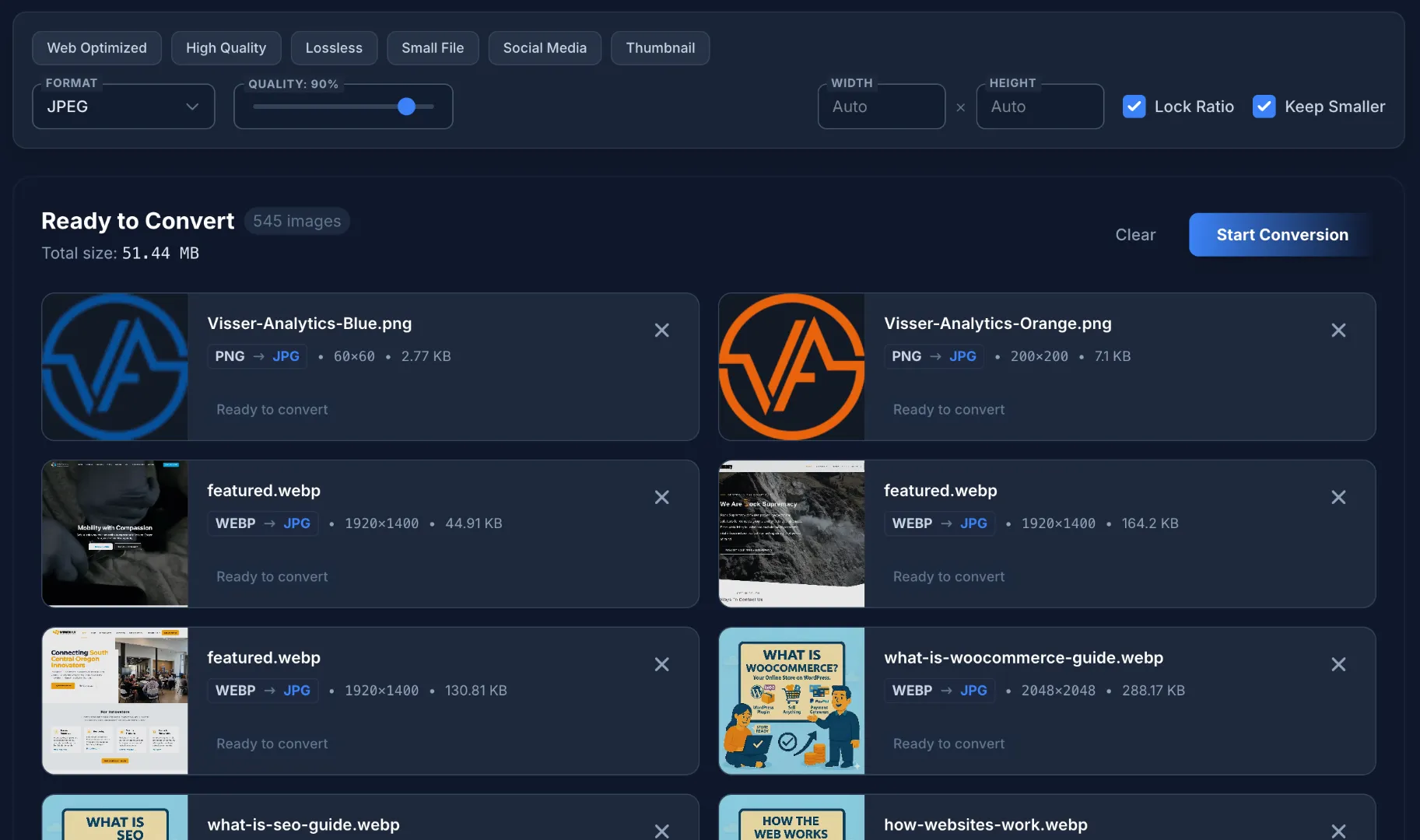
Send selected images to the converter for batch processing
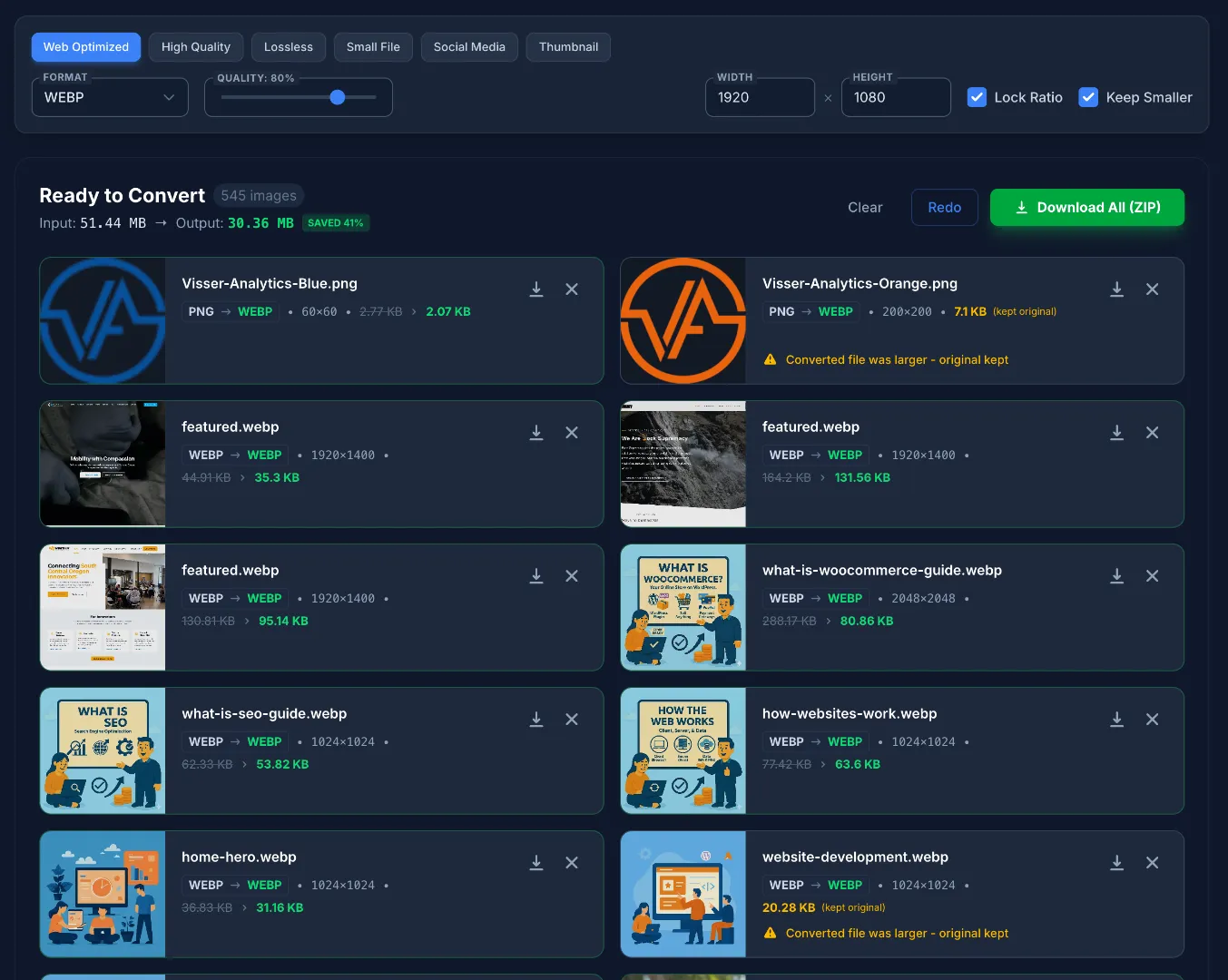
Converted images ready to download as WebP, PNG, or JPEG
You can also use the converter standalone with local files - just drag and drop images from your computer without crawling any website.
Convert local files by dragging and dropping directly into the converter
Powered by Google's Squoosh
Under the hood, ScrapeConvert uses Google's Squoosh package for image compression - the same technology that powers squoosh.app. This gives you access to incredibly high-quality compression algorithms that maintain visual fidelity while dramatically reducing file sizes.
We've also built in conversion profiles for different use cases:
Lossless
Perfect quality, no compression artifacts
Web Optimized
Balanced quality and file size for websites
Social Media
Optimized for social platform uploads
Maximum
Smallest file size possible
100% Client-Side & Private
One of the most important features of ScrapeConvert is that everything runs in your browser. Your images are never uploaded to any server. The URLs you crawl are never tracked or logged.
Privacy by Design
What We Don't Track
- ✗ URLs you crawl
- ✗ Images you extract
- ✗ Files you convert
- ✗ Any personal data
What We Do Use
- ✓ Vercel Analytics (aggregate traffic only)
- ✓ Page view counts
- ✓ Geographic regions (country level)
- ✓ Browser/device types
We only use Vercel Analytics to see aggregate traffic data - things like how many people visit the site and what countries they're from. We have no visibility into what URLs you're crawling or what images you're converting.
How We Use ScrapeConvert
We built ScrapeConvert because we needed it for our own website development work. Here's our typical workflow when migrating a client's site:
- Crawl the existing site - Paste the client's sitemap URL to discover all pages
- Review extracted images - See all images across the site with previews
- Select what we need - Filter out icons, logos, and images we'll recreate
- Convert to WebP - Batch convert everything for optimal performance
- Download and organize - Get a ZIP file ready for the new site
What used to take hours of tedious work now takes minutes. And because it's all client-side, we can use it on any machine without installing anything.
Perfect for Quick Prototyping
One of our favorite use cases is prototyping for potential customers. When we're pitching a website redesign, we can quickly crawl their existing site, grab all their images, optimize them, and use them in a mockup - all in minutes. It's a game-changer for showing clients what their new site could look like using their actual content.
Copy URLs Instead of Downloading
Here's a feature we use constantly: instead of downloading images, you can select a bunch of pictures and simply copy their URLs. This is perfect when you're prototyping with AI tools like Gemini, ChatGPT, or Claude - just paste the image URLs directly into your prompts without dealing with file downloads and uploads.
Need to quickly mock up a site design? Crawl the client's existing site, pick the images you want, copy the URLs, and feed them into your AI tool of choice. No downloading, no local storage, no hassle.
This rapid prototyping capability has helped us close more deals and give potential clients a much clearer picture of what we can deliver.
Free & Open for Everyone
ScrapeConvert is completely free to use with no limitations. No sign-up, no premium tier, no usage caps. We built it to solve a real problem in our workflow and figured other developers and web professionals face the same challenges.
We're genuinely excited for the community to try it out. Whether you're a solo developer, an agency, or just someone who needs to optimize a bunch of images, we think ScrapeConvert will save you a ton of time.
Try ScrapeConvert Today
Whether you're migrating a website, auditing images across a site, prototyping for a new client, or just need to batch convert some files, ScrapeConvert makes it fast and simple.
Visit ScrapeConvert.com